

When selecting a monitor arm, most people focus on adjustability.
They look at height range, reach, articulation, weight capacity, and how easily the monitor can be positioned.
Those features are important.
But there is another factor that often gets overlooked:
how the monitor arm actually mounts to the workstation.
The mounting method can determine where the arm can be used, how easily it can be installed, and whether it can support the wide variety of workstations found across modern organizations.
Workstations Are Not All Built the Same
In a perfect world, every workstation would have the same desk surface, same edge profile, same panel system, and same installation requirements.
In reality, most organizations have a mix of environments.
Some workstations are standard desks. Others are panel systems, slatwalls, horizontal tracks, wall-mounted stations, or surfaces with existing grommet holes.
That variation creates a challenge.
If a monitor arm only supports one or two mounting methods, it may not work across every application. This can make specification more complicated and may require different products for different departments or locations.
Mounting Limitations Can Create Ergonomic Limitations
A monitor arm may offer excellent adjustability, but if it cannot be mounted properly to the workstation, that adjustability may not matter.
Mounting limitations can lead to:
- monitors positioned too far from the user
- arms installed in less-than-ideal locations
- limited use on certain furniture systems
- inconsistent setups across departments
- more complicated installation planning
In larger organizations, these small inconsistencies can add up quickly.
For ergonomic programs, facility teams, dealers, and project managers, the best solution is often one that can be adapted to multiple workstation conditions.
A Better Approach: Match the Mount to the Workspace
The right monitor arm platform should be able to adapt to the workstation.
That means offering multiple mounting options so the same arm family can be used across different environments.
Common mounting needs include:
- C-clamp mounts for standard desk edges
- bolt-through mounts for secure permanent installation
- above-desk clamps for easier access during installation
- grommet mounts for desks with existing cable or mounting holes
- wall mounts for stations where desk mounting is not ideal
- adjustable slatwall mounts for different slatwall systems
- panel mounts for systems furniture environments
- horizontal track mounts for specialized workstation applications
This level of flexibility gives organizations more options when planning, installing, and standardizing monitor arm solutions.
Why This Matters for Standardization
Many organizations want to standardize equipment.
Standardization can help simplify purchasing, installation, support, replacement parts, and long-term planning.
But standardization should not mean forcing every workstation into the same setup.
A more practical approach is to standardize on a flexible product platform that can be configured for different conditions.
With the right mounting options, organizations can use one monitor arm family across a wide range of workstations while still matching the specific requirements of each space.
This helps support:
- cleaner specification
- more consistent user experience
- easier installation planning
- better long-term flexibility
- fewer separate product types to manage
SpaceArm Mounting Flexibility
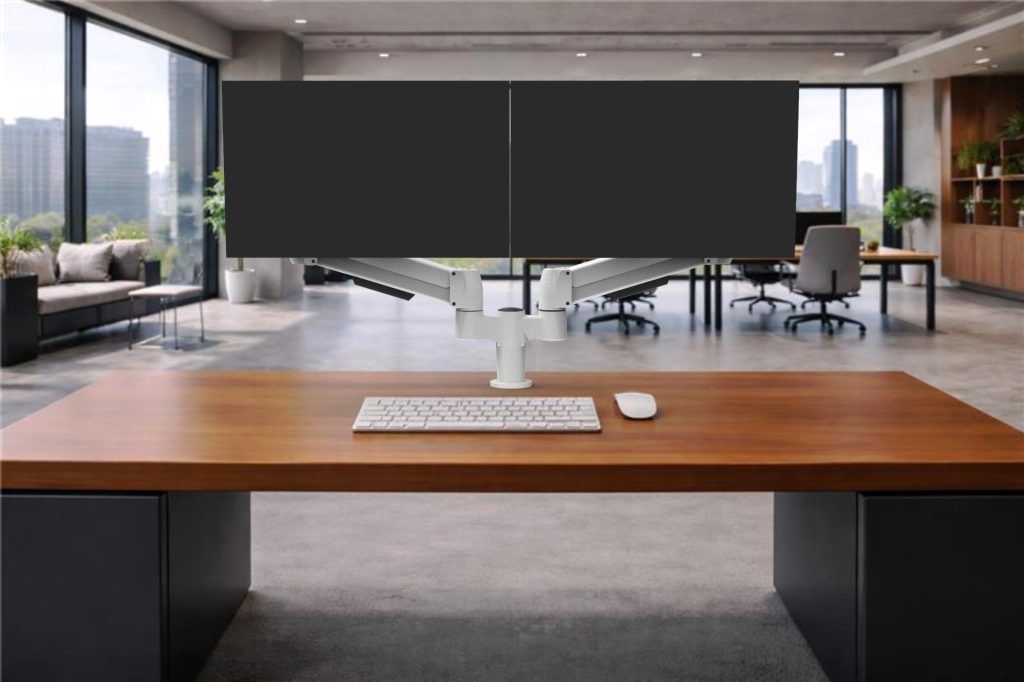
The SpaceArm monitor arm system is designed to support a wide range of mounting applications.
Available mounting options include:
- C-Clamp
- Bolt Through
- Above Desk Clamp
- Grommet Mount
- Wall Mount
- Adjustable Slatwall Mount
- Panel Mount
- Horizontal Track Mount
This allows SpaceArm to be specified across many different workstation types, from standard desks to panel systems, walls, slatwalls, and track-mounted environments.
Instead of selecting a different monitor arm for each mounting condition, organizations can use a more consistent platform and configure the mount to fit the application.


Designed for Real-World Workspaces
Modern workplaces are constantly changing.
Furniture systems vary. Departments move. Spaces are reconfigured. Hybrid work changes how desks are used.
A monitor arm solution needs to support that reality.
Mounting flexibility helps ensure that the monitor arm can fit the environment today while still supporting future changes.
That makes it especially valuable for:
- corporate offices
- shared workstations
- healthcare environments
- operations centers
- panel-based furniture systems
- dealer-led furniture projects
- large-scale ergonomic deployments
Conclusion: The Mount Matters
Monitor arm performance is not only about the arm itself.
It is also about how the arm connects to the workstation.
The right mounting option can make installation easier, improve workstation compatibility, support standardization, and create a more consistent ergonomic experience across different environments.
When selecting monitor arms, mounting flexibility should be part of the conversation from the beginning.
A monitor arm should not force the workstation to adapt to the product.
It should adapt to the workstation.
Learn More
Explore SpaceArm mounting options and configurations:


